The missing analytics layer
for Claude Code
See exactly what Claude is doing — token usage, estimated costs, sessions, and insights across all your projects, right inside VS Code.
Token usage comes from Claude's local session logs. Costs are estimated from detected model pricing and may differ from Anthropic billing.
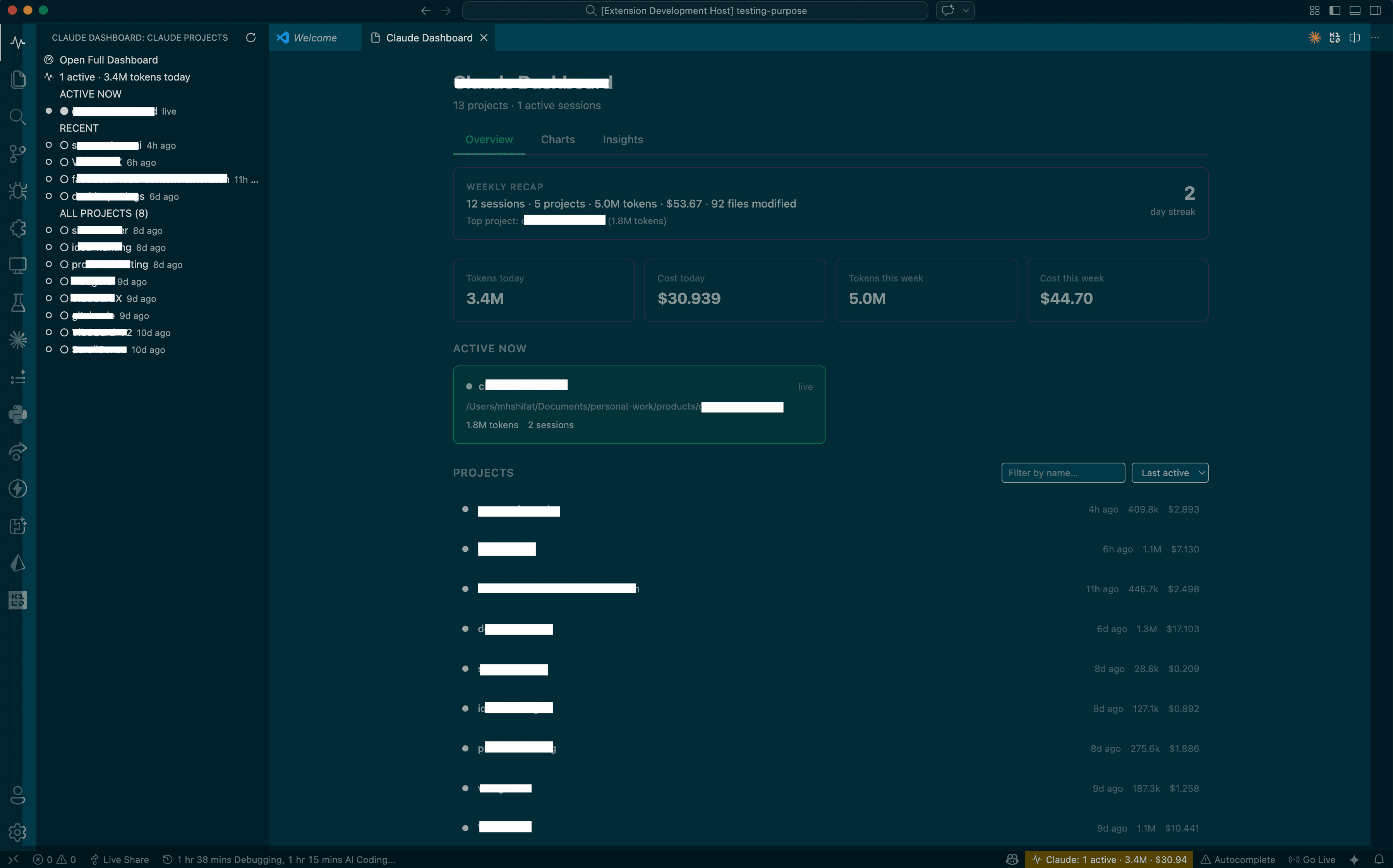
Everything you need to understand your Claude usage
Built for Claude Code power users who want full visibility into how they work with AI, with local token tracking and clearly labeled estimated cost.
Real-Time Usage
Watch token counts tick up as Claude works. Live session detection via process monitoring — no more stale numbers.
Cost Tracking
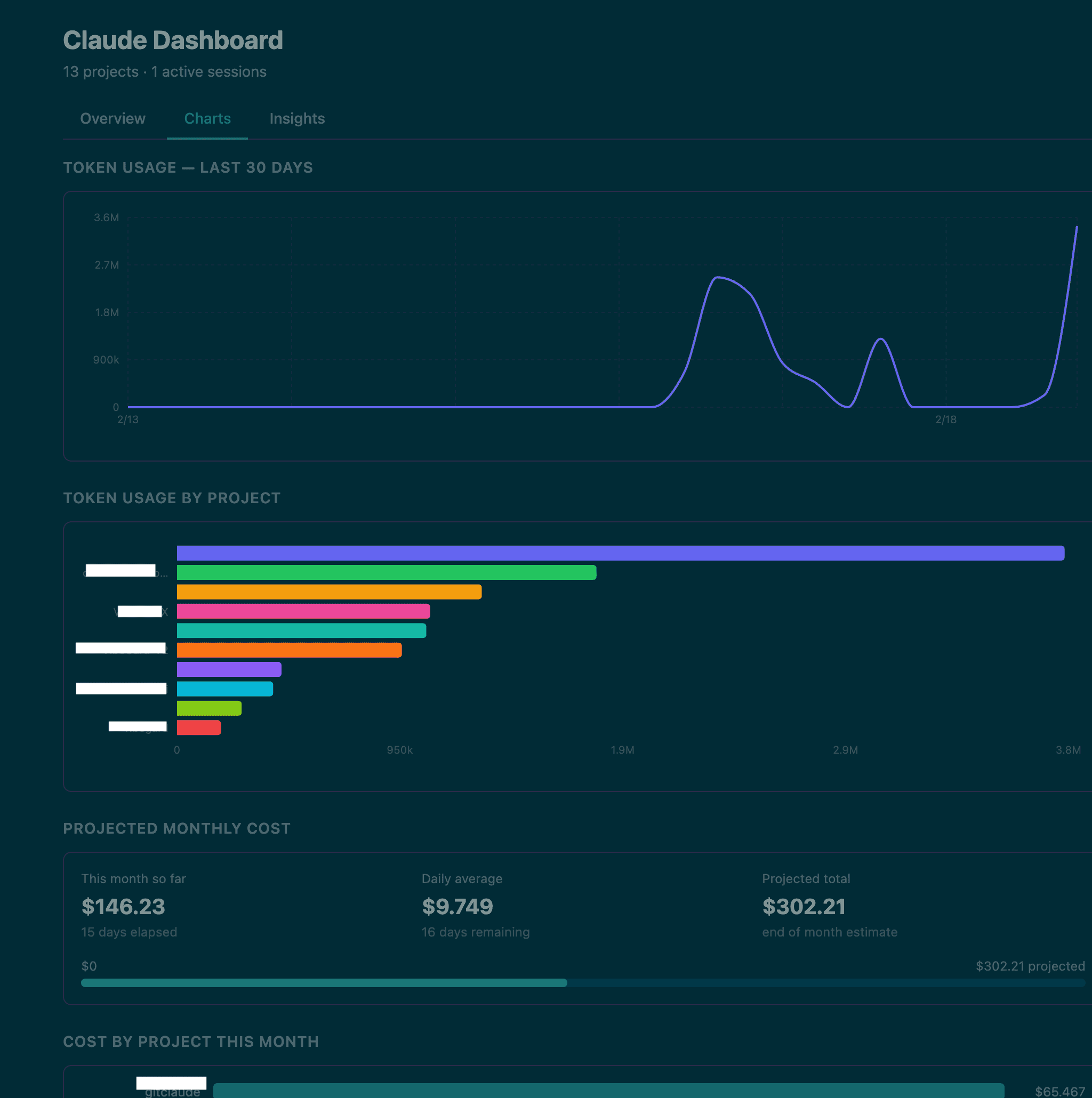
Per-session and per-project estimated cost using local token usage, detected model families, and a bundled pricing table. Set monthly budgets with 80% / 100% alerts.
Session Intelligence
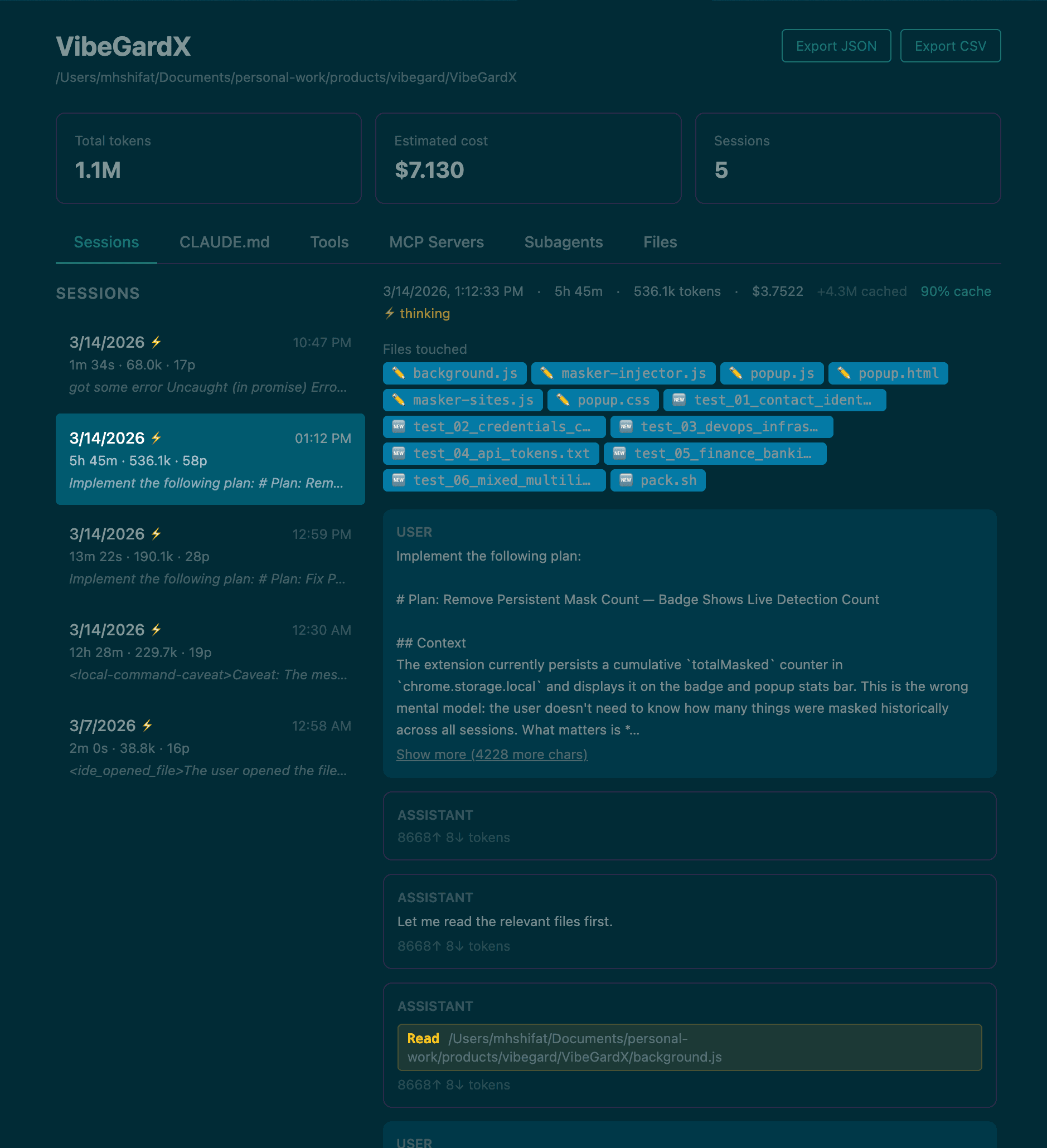
See the first prompt of every session as a preview. Extended thinking sessions flagged with ⚡. Cache hit rates surfaced.
Subagent Visibility
When Claude spawns subagents via the Task tool, their token costs roll up to the parent session so nothing is hidden.
File Explorer
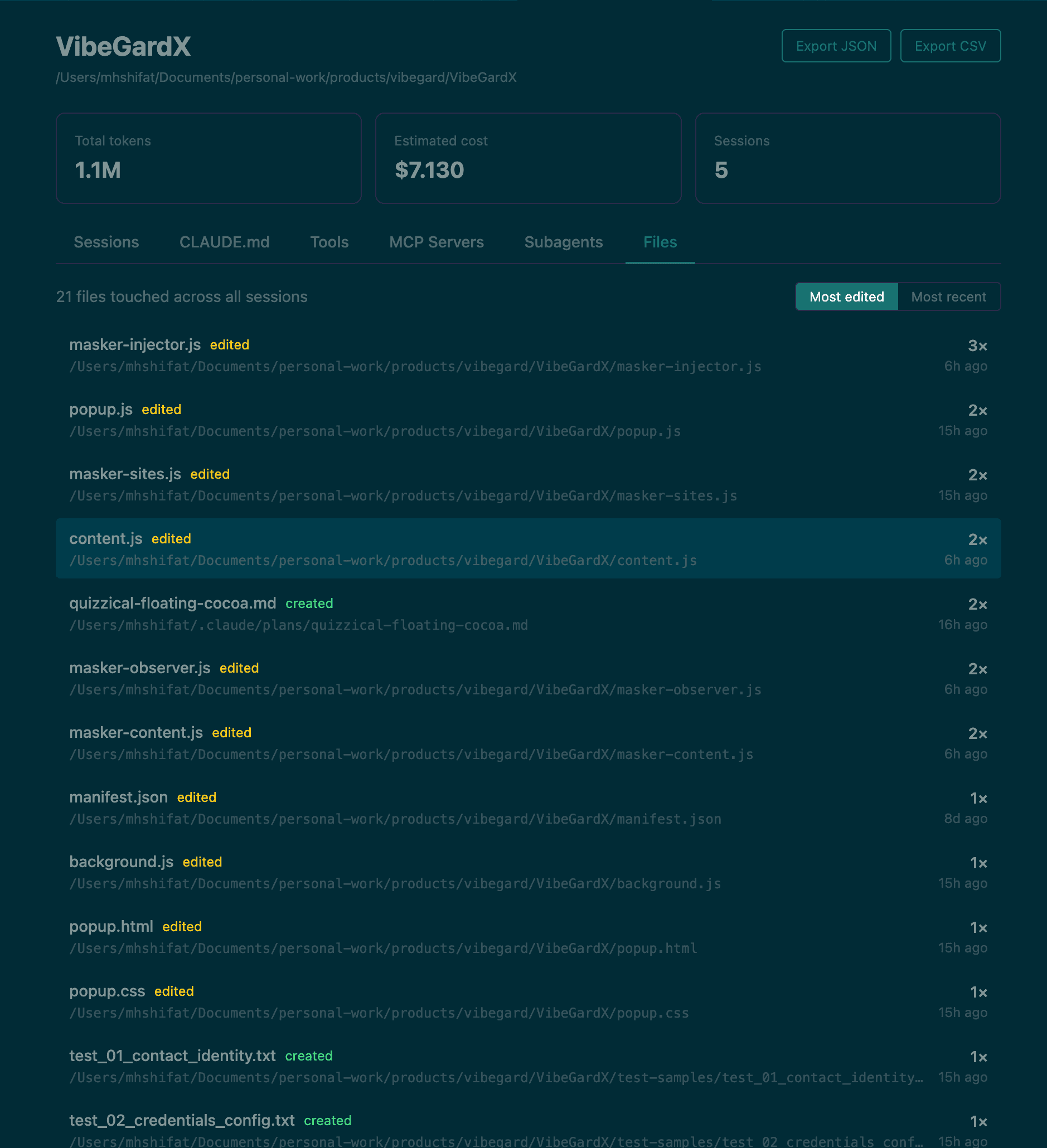
Browse every file Claude touched in a project. See which files get the most attention across sessions.
Fully Local
Reads only from ~/.claude/ on your machine. Zero network requests. Zero telemetry. Your data never leaves your computer.
Every view you need
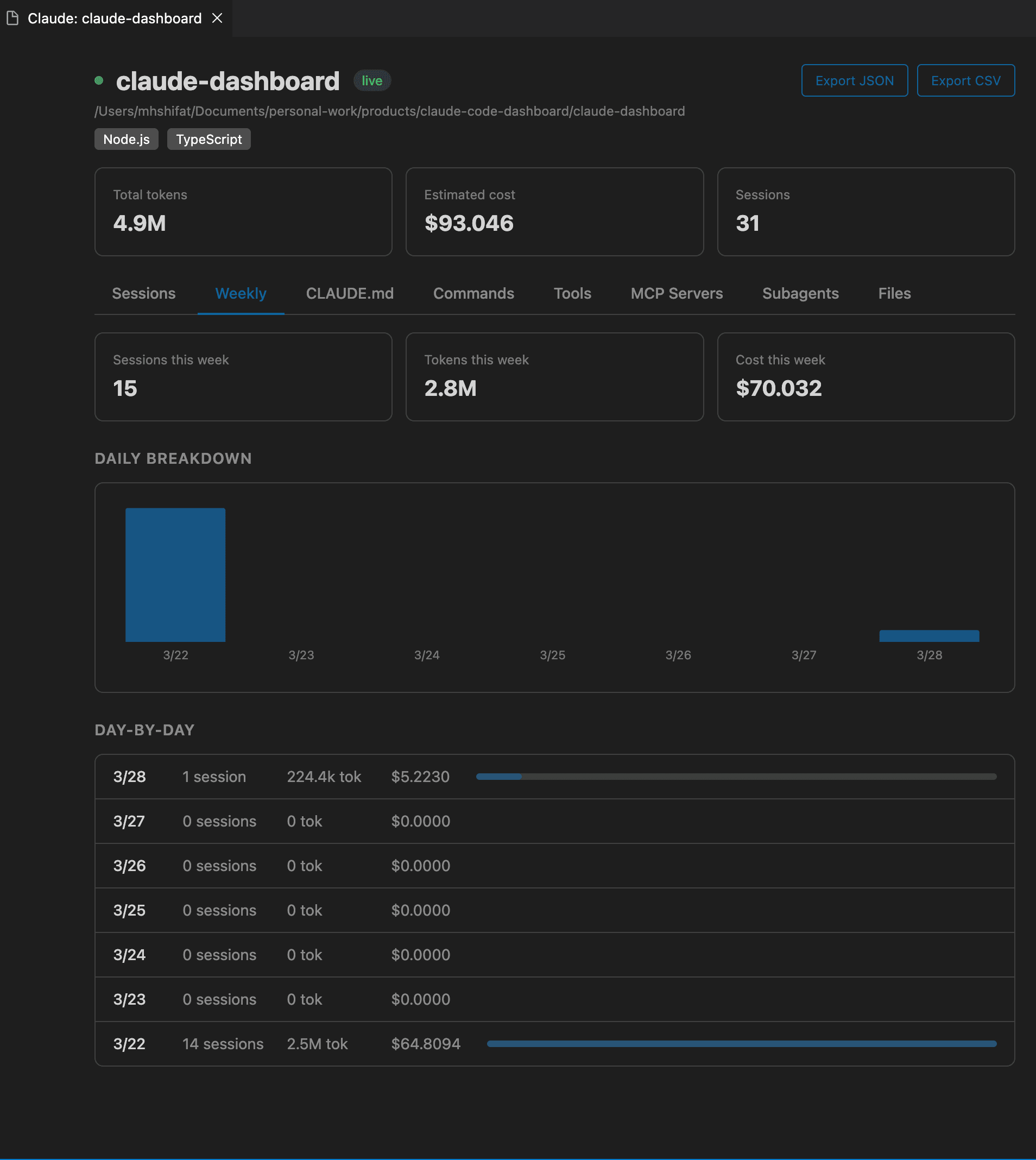
From a high-level command center to project-level drill-downs, the dashboard is built to help you understand how Claude actually works across your day.
Dashboard Overview
A single place for usage, estimated cost, and session visibility across your Claude projects.
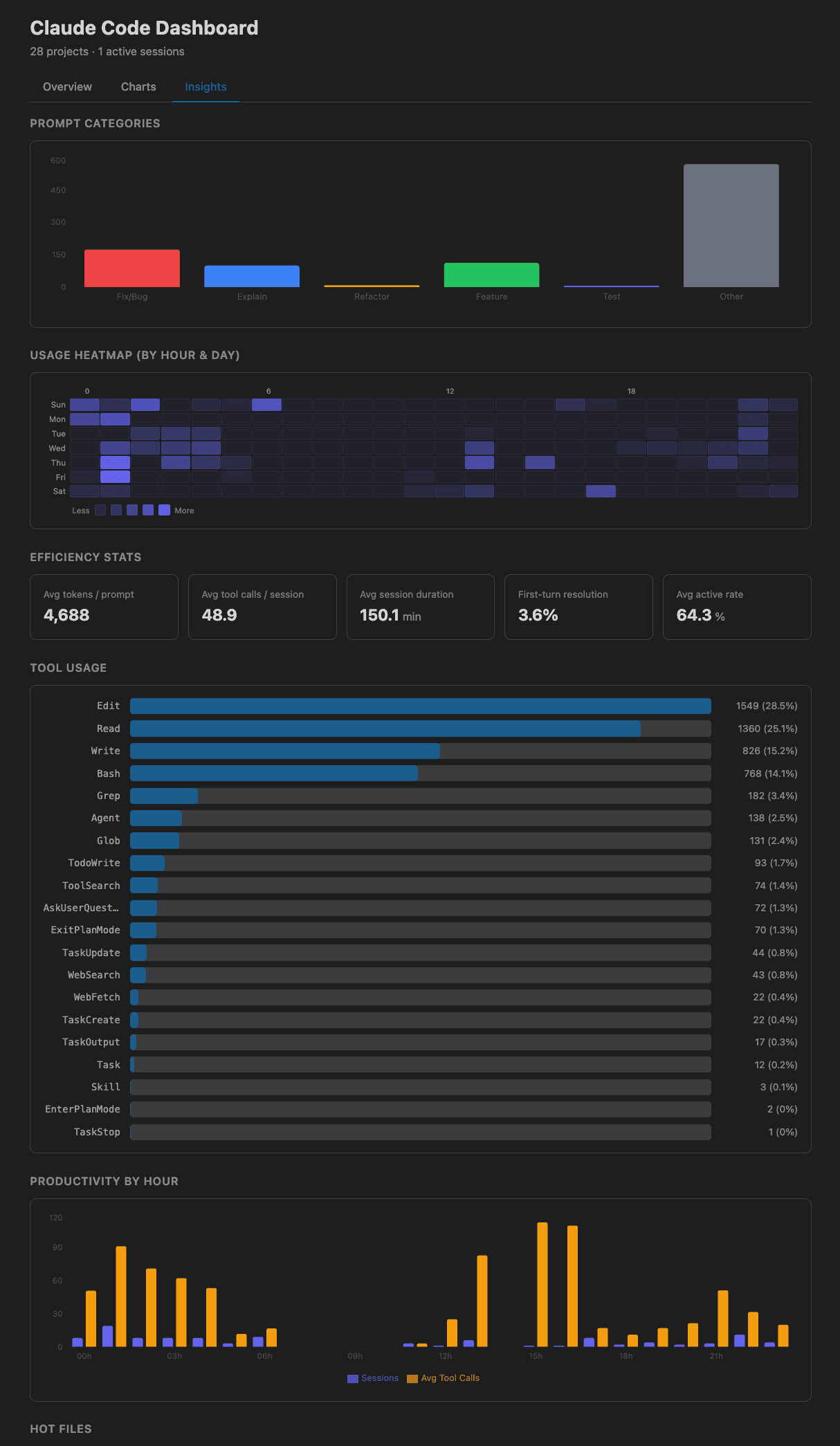
Go from trends to the actual work
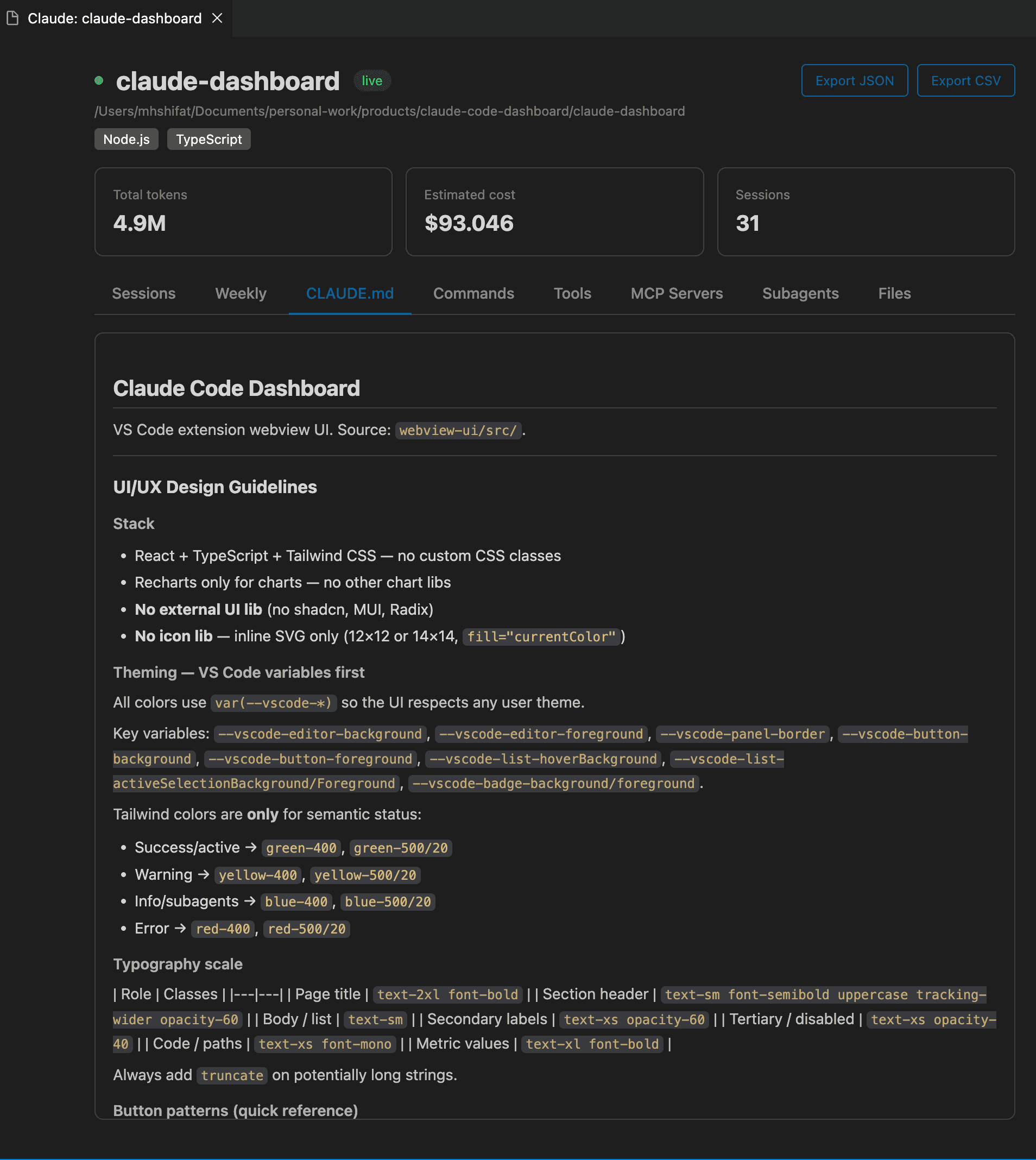
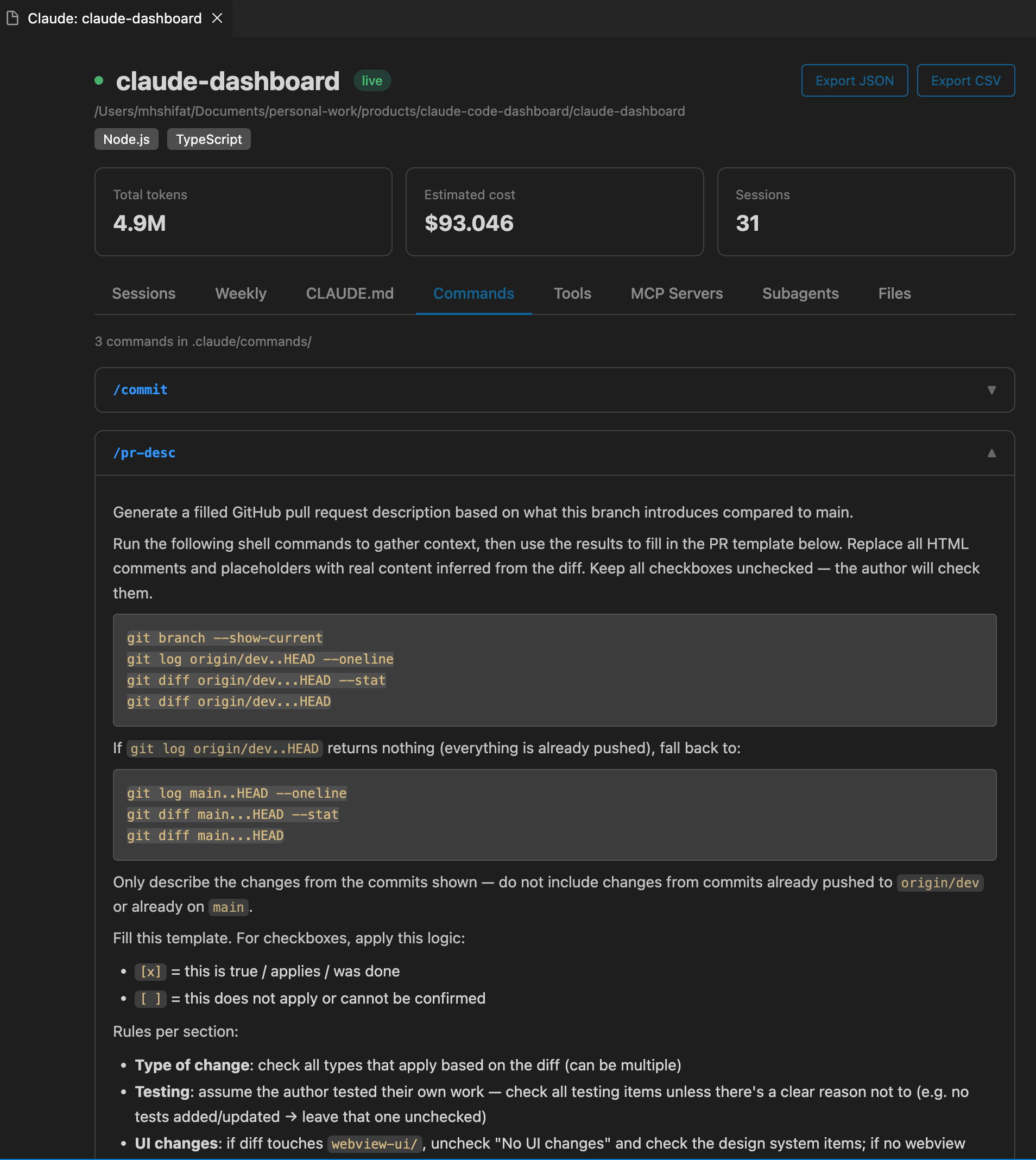
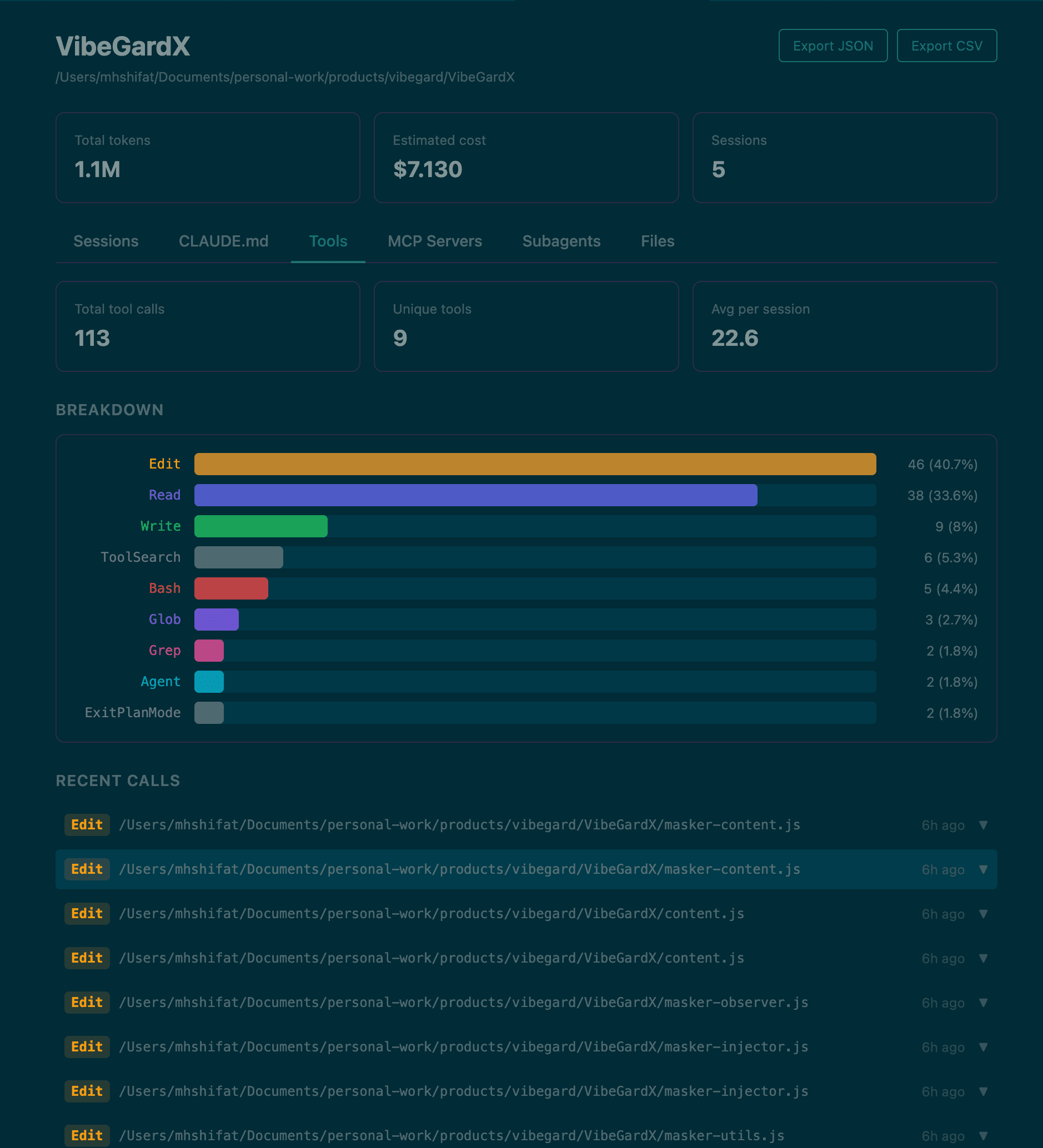
Sessions, commands, files, tools, and project instructions all stay visible in one place, so you can move from “what happened?” to “where did it happen?” quickly.
Zero setup. Just install and go.
Claude Code Dashboard reads the session files Claude already writes to ~/.claude/projects/. No API key. No config. No account.
Displayed cost is estimated locally from session token usage, model detection, and a bundled pricing table. It is useful for visibility, but not invoice-grade billing.
Built in the open for people who live in Claude Code
If you care about better visibility into tokens, sessions, tools, prompts, and workflows, you can help shape where this dashboard goes next.
17 stars and 6 forks from developers following the project.